



You’ve worked hard to secure admission in your dream ITI trade. You’ve attended classes, practiced your skills, and prepared for exams. But when the exam day arrives, you’re turned away at the gate. Why? Because you missed a single crucial step—trainee verification.
For thousands of ITI students enrolled in NCVT courses during the 2024 session, this nightmare is very real. According to official DGT data, approximately 14.43 lakh trainees had their data uploaded, but only around 13 lakh successfully completed verification. That means over 1.4 lakh students are at risk of losing their entire year of training.
If you’re one of them, this comprehensive guide will walk you through every step of the ITI NCVT DGT 2025 trainee verification process. We’ll cover everything from understanding why verification is mandatory to solving common technical issues, ensuring your PRN number gets generated before the deadline. Your future career depends on this one process. Let’s make sure you get it right.
What is ITI Trainee Verification and Why It Matters More Than You Think
Understanding the Verification Process
Trainee Verification is the official online process that confirms your identity, course details, and enrollment status on the NCVT MIS (National Council for Vocational Training Management Information System). Think of it as your digital passport into the ITI examination system.
The verification happens through the Skill India Digital (SIDH) portal, which has replaced the older NCVT MIS system for session 2025 onwards. This platform integrates all your training records, exam eligibility, and certification status in one unified digital ecosystem.
The Critical Importance of PRN Generation
Your Permanent Registration Number (PRN) is not just another ID—it’s your lifeline throughout your ITI journey and beyond. Here’s what happens when verification is complete:
✓ Exam Eligibility: Without completing trainee verification, your PRN will not be generated, and you won’t be allowed to sit for the ITI exams
✓ Certificate Authentication: Your NCVT certificate is linked to your PRN, making it verifiable by employers nationwide
✓ Apprenticeship Opportunities: Companies require your PRN to verify your ITI credentials before offering apprenticeships
✓ Further Education: Many diploma programs and advanced courses require valid PRN documentation
✓ Employment Verification: Government departments and private companies check your PRN during background verification
Companies and government departments check your PRN and certificate at the time of your job, and if there is no verification, they will not consider your ITI recognized.
Important Dates and Deadlines for ITI DGT Trainee Verification 2025
Critical Timeline You Cannot Miss
⏰ Final Deadline: The Directorate General of Training (DGT) has set 16 June 2025 as the final deadline to complete the verification process on the Skill India Digital (SID) portal
This is not the first deadline—DGT has provided four extensions over a six-month period. The June 16, 2025 date is explicitly stated as the FINAL OPPORTUNITY for leftover trainees.
What This Deadline Means for You
After June 16, 2025:
- Trainees who have not completed the verification process will be considered inactive, and no further claims regarding trainee admission by ITIs or trainees will be entertained for the 2024 session
- Your entire year of training could become invalid
- You may need to restart the admission process in the next session
- No exceptions will be granted, regardless of circumstances
Action Required: If you’re reading this before June 16, 2025, complete your verification TODAY. Don’t wait until the last moment when servers might be overloaded.
System Requirements and Documents Needed for NCVT Trainee Verification
Essential Technical Requirements
Before starting the trainee verification process, ensure you have:
1. Hardware Requirements
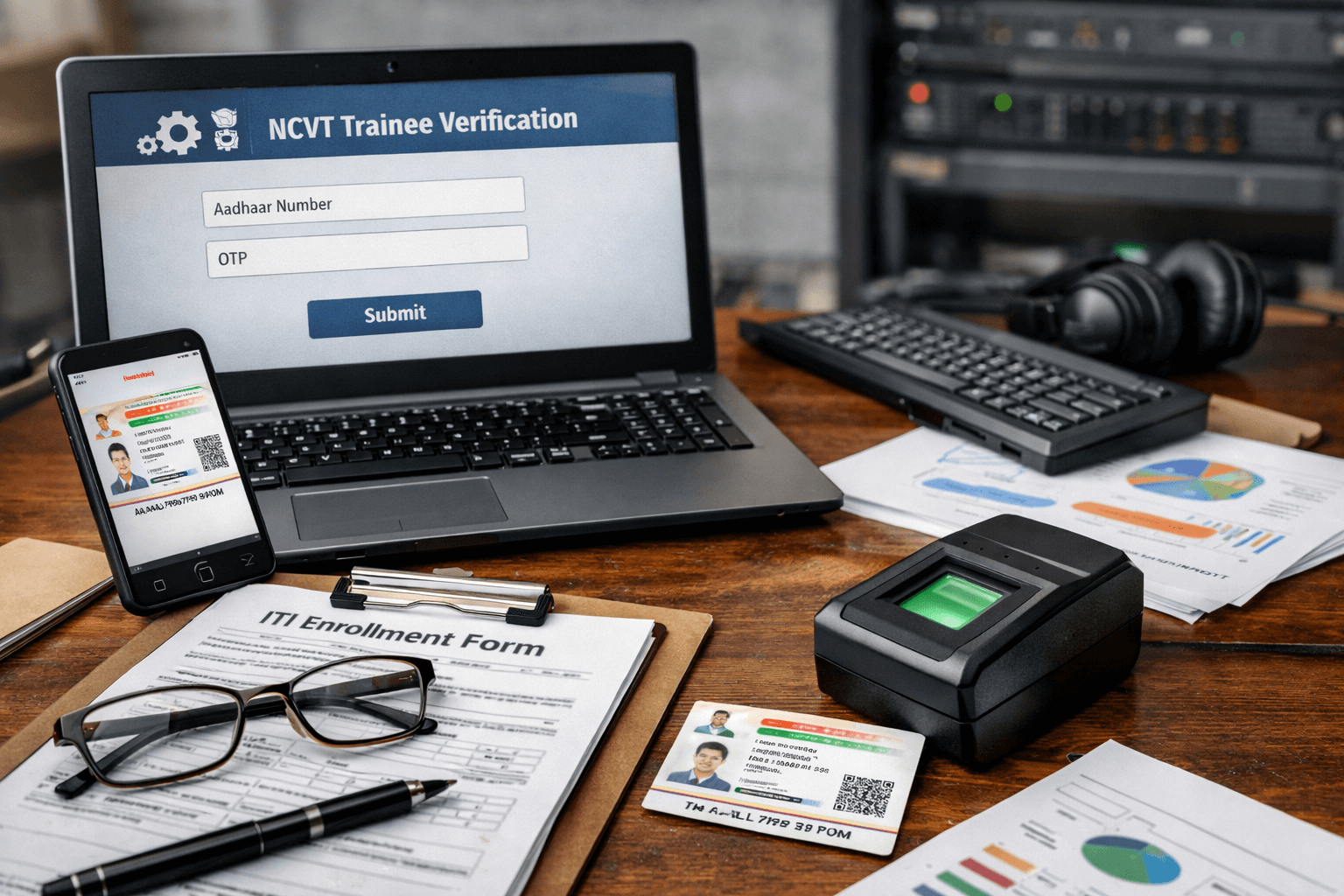
Computer/Laptop with Webcam: You must use a laptop or desktop with a webcam to capture your live photo and complete Aadhaar-based KYC
⚠️ Critical Warning: Mobile phones cannot be used for trainee verification—the system requires webcam access for facial capture and KYC
Recommended Setup:
- Desktop or laptop with Windows 7 or higher / MacOS
- Built-in or external webcam (minimum 720p resolution)
- Stable internet connection (minimum 2 Mbps)
- Updated web browser (Chrome, Firefox, or Edge)
2. Aadhaar-Based Requirements
Mobile Number Linked to Aadhaar: You’ll receive OTP for verification on this number
Aadhaar Card: Keep your 12-digit Aadhaar number ready for eKYC verification
Matching Personal Details: Your name, date of birth, and other details must match exactly with your Aadhaar records
3. ITI Enrollment Details
- SRN (Student Registration Number): Provided by your ITI at admission
- Mobile number used during ITI application
- Course and trade details
- Session year (2024-25 or 2025-26)
Common Issues to Avoid
❌ Using mobile data with poor connectivity—use broadband or WiFi
❌ Attempting verification on smartphones or tablets
❌ Using outdated browsers that don’t support webcam access
❌ Having a different mobile number than the one linked to your Aadhaar
Step-by-Step Guide: Complete ITI NCVT Trainee Verification on SIDH Portal
Now comes the most important section—the actual verification process. Follow these steps carefully:
Step 1: Access the Skill India Digital Portal
- Open your web browser (Chrome recommended)
- Visit the official SIDH portal: https://dgt.skillindiadigital.gov.in/
- Look for the “Candidate Login” or “Trainee Login” option in the top menu bar
You will see the option of Candidate Login or Trainee Login in the top menu bar, click on it
Step 2: Login with Your Credentials
- Enter your mobile number (the same one you submitted in your ITI application)
- You’ll receive an OTP on your registered mobile number
- Enter the OTP to access your trainee dashboard
- Your dashboard will display information about your course, ITI, and enrollment status
Troubleshooting Login Issues:
- If OTP doesn’t arrive, check your mobile network
- Ensure you’re using the same mobile number from your ITI application
- Clear browser cache if the page doesn’t load properly
- Try using incognito/private browsing mode
Step 3: Navigate to Trainee Verification Section
- In the dashboard, click on the View Details button under the “Trainee Verification” section
- A new dashboard will open showing your verification status
- Review details like your SRN number, name, and trade to ensure accuracy
- If all details are correct, click the “Verify” button
Important: If you notice any errors in your personal details (name spelling, DOB, trade), contact your ITI immediately before proceeding.
Step 4: Complete the Three-Step Verification Process
The system requires you to complete three mandatory steps:
A. Mobile Number Verification
- Verify the mobile number by entering the OTP received
- This confirms that you have access to the registered mobile number
- Keep this number active throughout your ITI training period
B. Capture Trainee Photo (Live Photo Verification)
This is where your webcam becomes essential:
- Capture the student’s photo using a laptop or desktop webcam
- Position yourself in good lighting with a plain background
- Look directly at the camera
- Ensure your entire face is clearly visible
- Avoid wearing sunglasses, caps, or face coverings
- The system will capture your live photo for biometric verification
Common Photo Capture Issues:
- If your webcam photo was blurry or incomplete, the system may reject it—try re-uploading
- Grant browser permission to access your webcam
- Test your webcam before starting verification
- Use proper front lighting to avoid shadows
C. Aadhaar-Based eKYC
The final and most critical step:
- Enter your 12-digit Aadhaar number
- The system will verify your details against UIDAI database
- You’ll receive an OTP on your Aadhaar-linked mobile number
- Enter this OTP to complete the eKYC process
- System will validate your identity and generate your PRN
Critical Points for eKYC:
- Your ITI registration data (name, DOB, Aadhaar) must exactly match NCVT records
- Any mismatch will cause verification failure
- Ensure your Aadhaar details are updated and correct
- If eKYC fails, contact your ITI for data correction
Step 5: Verify PRN Generation
After completing all three steps:
- Your dashboard will display a confirmation message stating that your PRN has been successfully generated
- Note down your PRN number immediately
- Take a screenshot for your records
- You’ll also receive an SMS confirmation with your PRN
What if PRN Doesn’t Generate?
If you’ve completed all steps but your PRN still hasn’t been generated, check: KYC step completion, photo capture quality, details mismatch, or try a different browser/device
Understanding PRN: Your Permanent Registration Number Explained
What is a PRN in ITI NCVT System?
Your Permanent Registration Number (PRN) is a unique identification number issued by the Directorate General of Training (DGT) under the Ministry of Skill Development and Entrepreneurship. This number stays with you throughout your ITI journey and beyond.
How PRN is Generated
A unique PRN is generated only after the trainee completes all three steps of the verification process, confirming their admission with DGT on the portal
The PRN acts as:
- Your exam roll number for NCVT examinations
- Certificate verification code for employers
- Apprenticeship enrollment identifier
- Tracking number for your entire training record
Where You’ll Need Your PRN
During ITI Training:
- Downloading exam hall tickets(admit cards)
- Checking semester and annual results
- Accessing learning materials on NIMI LMS
- Submitting examination forms
- Profile updates and corrections
After ITI Completion:
- Downloading NCVT certificates
- Apprenticeship registrations through PMIS portal
- Employment background verification
- Higher education admissions
- Government job applications requiring ITI qualification
Common Problems and Solutions During Verification
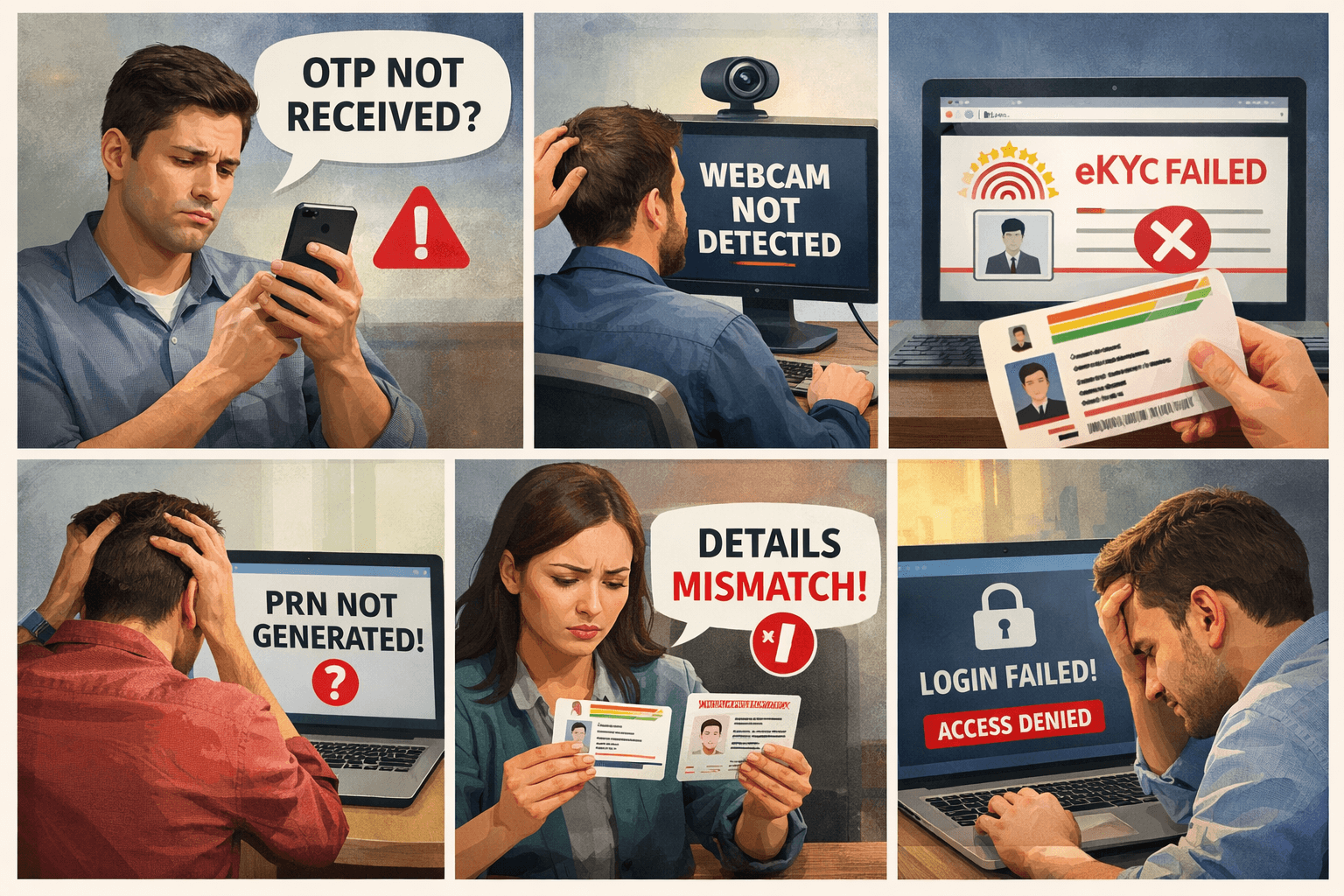
Even with careful preparation, you might face technical or procedural issues. Here are solutions to the most common problems:
Problem 1: Mobile OTP Not Received
Causes: Network issues, wrong number, spam filtering
Solutions:
- Check if your mobile number matches your ITI application
- Ensure good mobile network coverage
- Check spam/blocked messages folder
- Wait 2-3 minutes before requesting resend
- Try from a different location with better network
Problem 2: Webcam Not Detected or Not Working
Causes: Browser permissions, driver issues, incompatible device
Solutions:
- Grant camera permission in browser settings
- Update webcam drivers on your computer
- Try different browsers (Chrome usually works best)
- Use external webcam if built-in camera fails
- Visit a cyber café or institute lab if needed
Problem 3: Aadhaar eKYC Failure
Causes: Mismatch in details, Aadhaar not linked to mobile, incorrect Aadhaar number
Solutions:
- Verify your Aadhaar number is correct (12 digits)
- Ensure mobile number is linked to your Aadhaar
- Check name spelling matches exactly with Aadhaar
- Verify date of birth matches Aadhaar records
- Contact your ITI to correct any mismatched data in their records
- Visit Aadhaar center if mobile number needs updating
Problem 4: PRN Not Generating After All Steps
Causes: Silent system errors, incomplete KYC, data sync issues
Solutions:
- Double-check the KYC step—sometimes Aadhaar KYC fails silently, make sure you got an OTP and submitted it successfully
- Try a different browser/device—Chrome or Edge on desktop is best
- Clear browser cache and cookies
- Log out completely and restart the process
- Contact your ITI’s training coordinator
- Raise a ticket through DGT helpdesk
Problem 5: Details Mismatch Error
Causes: Typing errors, outdated ITI data, name format differences
Solutions:
- Compare your ITI admission form with Aadhaar card character by character
- Note exact spelling including spaces and special characters
- Contact ITI administration for data correction request
- Submit correction application with supporting documents
- Allow 2-3 days for corrections to reflect in the system
Problem 6: Unable to Login to SIDH Portal
Causes: Wrong credentials, account not created, system maintenance
Solutions:
- Verify you’re using correct mobile number
- Check if you’ve already created an account
- Reset password if forgotten
- Try during off-peak hours (early morning)
- Check DGT website for scheduled maintenance announcements
What Happens After Missing the Verification Deadline?
Immediate Consequences
If you miss the June 16, 2025 deadline, your PRN will not be generated. Here’s the cascade of problems:
Short-term Impact:
- Cannot download exam hall tickets
- Barred from appearing in semester examinations
- Unable to access online learning resources
- Profile marked as “inactive” in DGT system
Long-term Impact:
- You will not receive a certificate, which is very important in further studies or jobs
- Loss of entire academic year
- Need to re-apply for admission in next session
- Gap year in your educational timeline
- Delayed entry into workforce or apprenticeships
Is There Any Hope After Missing Deadline?
If you missed the verification deadline, immediately contact your ITI and request them to escalate the issue to DGT—late ITI trainee verification may be permitted in some cases, but it is not guaranteed
Steps to Take:
- Write a formal application to your ITI Principal immediately
- Explain valid reasons for missing deadline (medical, technical issues, etc.)
- Attach supporting documents (medical certificates, technical error screenshots)
- Request ITI to escalate to State DGT office
- Follow up persistently with both ITI and DGT officials
- Check DGT website regularly for any special extension announcements
Realistic Expectations: Based on DGT’s statement that this is the final opportunity after four previous extensions, chances of further extensions are extremely low. Don’t rely on this—complete verification before deadline.
Official Support and Helpdesk Contacts
If you face issues that your ITI cannot resolve, here’s how to get official help:
DGT Official Contacts
Directorate General of Training (DGT)
- Website: https://dgt.gov.in/
- NCVT MIS Portal: https://ncvtmis.gov.in/
- Skill India Digital Hub: https://dgt.skillindiadigital.gov.in/
Helpdesk and Grievance System
NCVT MIS Helpdesk: Available on the official portal for technical issues
DGT Grievance Portal: For filing complaints about verification problems
State DGT Offices: Contact your state’s Directorate of Employment & Training
ITI-Level Support
💡 Best First Contact: Always contact your institute first—most ITIs have state-level DGT coordinators who can escalate issues quickly
Your ITI can help with:
- Data correction requests
- Technical issue escalation
- Understanding error messages
- Providing computer lab access for verification
- Direct communication with State DGT office
WhatsApp Groups and Community Support
Students are encouraged to join WhatsApp groups related to their ITI or state to stay updated and avoid missing any important announcements
Benefits of joining ITI community groups:
- Real-time updates about deadline extensions
- Solutions shared by students who faced similar issues
- Quick answers from seniors and alumni
- Official announcements forwarded by ITI administration
FAQs
Q1: What is NCVT ITI Trainee Verification?
It is a process in which the admission of ITI students is verified in the official records of NCVT, and the PRN number is generated only after completing this process.
Q2: When is the last date for trainee verification?
The last date for ITI NCVT DGT 2025 trainee verification is 16 June 2025.
Q3: Is trainee verification mandatory for all ITI students?
Yes, without ITI trainee verification, your PRN will not be generated, and you won’t be eligible to appear in exams or receive your certificate.
Q4: Can I complete ITI Trainee verification using a mobile phone?
No, you must use a laptop or desktop with a webcam to capture your live photo and complete Aadhaar-based KYC.
Q5: What if I enter incorrect Aadhaar details or face KYC failure?
Contact your ITI immediately—they can reset the KYC process or raise the issue with concerned authorities.
Q6: How will I know my PRN has been successfully generated?
Once you complete the ITI Trainee verification process, your dashboard will display a confirmation message stating that your PRN has been successfully generated. You’ll also receive an SMS notification.
Q7: Which portal should I use for verification—NCVT MIS or SIDH?
For the 2025 session, use the Skill India Digital Hub (SIDH) portal at https://dgt.skillindiadigital.gov.in/. The old NCVT MIS system is being phased out.
Q8: What documents do I need for verification?
You need: Aadhaar card, Aadhaar-linked mobile number, ITI enrollment details (SRN), and access to a laptop/desktop with webcam.
Q9: Will my verification affect my ITI attendance or studies?
No, verification is an administrative process that confirms your enrollment. It doesn’t affect daily attendance or classroom studies, but it’s essential for exam eligibility.
Q10: Can my ITI complete verification on my behalf?
No, verification is a trainee-centric process that requires your personal Aadhaar authentication and live photo capture. Your ITI can guide you, but you must complete it yourself.
Conclusion: Don’t Let This Opportunity Slip Away
The ITI NCVT DGT 2025 trainee verification process is not just another administrative formality—it’s the foundation of your entire vocational training journey. Your PRN number is your identity in the national skill development ecosystem, opening doors to examinations, certifications, apprenticeships, and employment.
ITI trainee verification is the first official step in securing your enrollment with NCVT for the 2025 session—without completing this process, your PRN will not be generated, and you will be disqualified from exams, certifications, and future apprenticeship opportunities.
Your Action Plan Right Now
If You Haven’t Started Verification:
- Check the date—is it before June 16, 2025?
- Arrange laptop/desktop with webcam immediately
- Verify your Aadhaar mobile number is active
- Visit SIDH portal TODAY and begin the process
- Don’t procrastinate—servers may overload near deadline
If You’re Facing Technical Issues:
- Contact your ITI training coordinator immediately
- Escalate to State DGT office if ITI can’t resolve
- Keep trying with different browsers and devices
- Document all error messages for support tickets
- Use cyber café or ITI computer lab if needed
If Verification is Complete:
- Take screenshots of PRN confirmation
- Save your PRN number in multiple places
- Download and print confirmation for records
- Stay connected with ITI for exam schedule updates
- Help fellow trainees complete their verification
The Bigger Picture
Beyond immediate exam eligibility, the entire process can be completed in a few minutes if you have the right setup—Aadhaar-linked mobile number, a working webcam, and a stable internet connection. These few minutes can determine whether your year of hard work culminates in a recognized NCVT certificate or ends in disappointment.
Remember, approximately 14.43 lakh trainees had data uploaded, but only around 13 lakh completed verification. Don’t be among the 1.4 lakh who miss out due to procrastination or lack of information.
Your ITI journey is a stepping stone to skilled employment, entrepreneurship, and economic independence. The trainee verification process is the gateway that must be crossed to reach those goals.
